MyBoels: all your hire information in one place
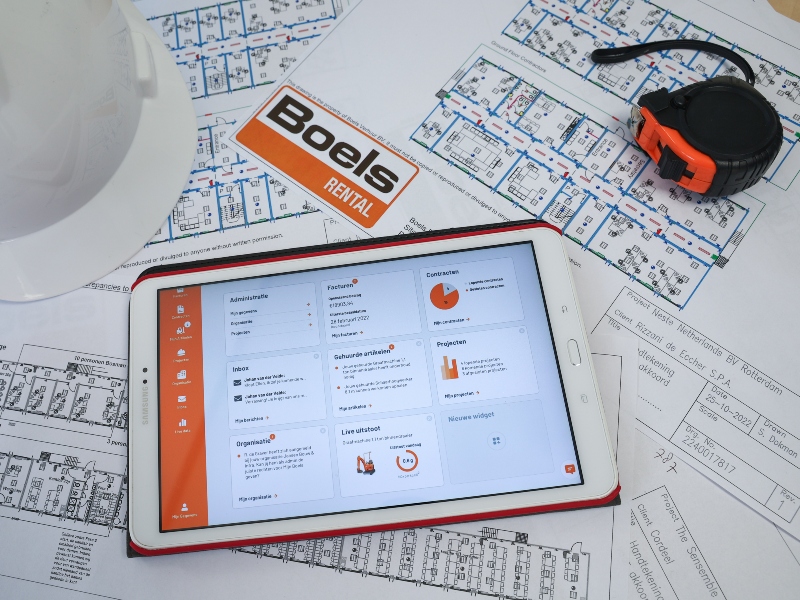
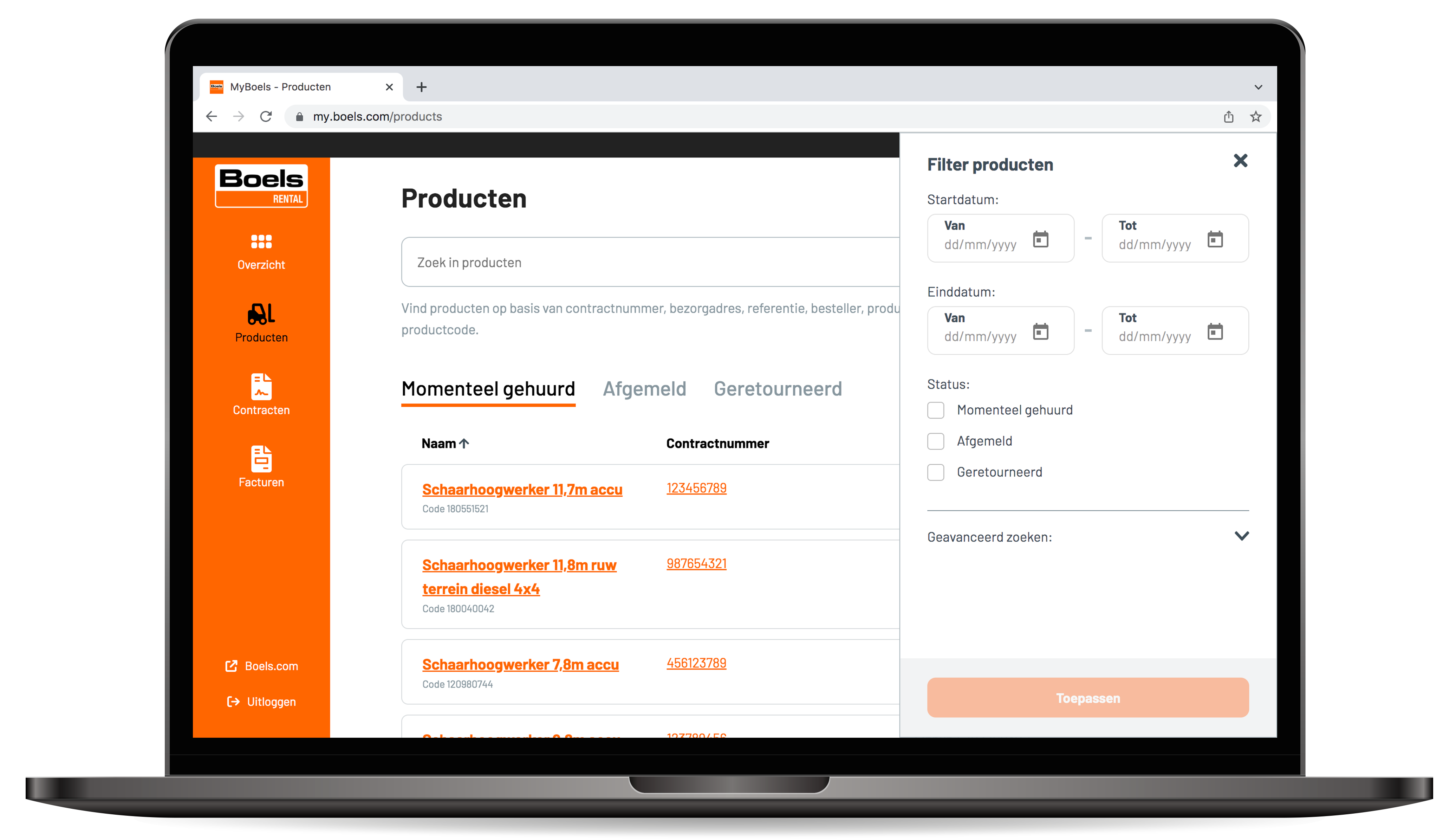
With MyBoels you always have your rental data at hand. On my.boels.com you can see your rental history, active contracts, invoices and digital delivery and collection notes in one overview. This helps you quickly find what you need, wherever you are.
Everything in one environment
Work from one central and user-friendly environment. Less paperwork, less searching and more time for your project. This way you always have the right information available anytime and anywhere.
Always real-time insight
Receive live updates about your rented machines. Instantly view performance and IoT data such as fuel level, battery voltage and error codes. This way you always know the status of your machines and can respond faster.

Manage data and projects See hired and returned machines View, filter and download contracts View, search and download invoices
I already have a customer number
To link MyBoels to your customer number, we need a few details from you. You can provide these via the request form.

I don’t have a customer number yet
MyBoels is currently only available for customers with a business account at Boels. You can easily request one here.

I already have a MyBoels account
Log in directly and easily manage your rentals with real-time insight through your MyBoels account.
All the benefits at a glance
- Access your rental history anytime and anywhere
- Always have insight into your contracts
- Easily view and share invoices
- Real-time insight into rented products
And many more!
MyBoels is only available for customers with a Boels account. Don't have an account yet? Request one today and enjoy all the benefits MyBoels has to offer.
Frequently asked questions about MyBoels
Below, we have listed the most frequently asked questions about MyBoels for you. Click on a question to open the answer.
One of my employees has gained access to MyBoels despite not being authorised to do this. Can I make sure this doesn’t happen again?
Yes, you do this via the contact form in MyBoels or your account manager.
Is my debtor number linked to my MyBoels account automatically?
Yes, provided your debtor number has already been linked to an e-mail address.
I can’t log into my MyBoels account. What should I do?
Contact the Customer service department or your account manager.
How often is the data in MyBoels updated?
We update this data once a day.
Where can I see which of my employees are able to use MyBoels?
You can request this information from us, either via your account manager or the contact form in MyBoels.